

Happy - HR System
Happy - HR System
Happy - HR System
Optimizing a B2B system for sending gifts
A unified view needs a complete screen. Best experienced on desktop
Overview
HappyGift's management system is designed to allow welfare managers (B2B customers) to send digital gifts or order physical gifts for employees independently.
HappyGift's management system is designed to allow welfare managers (B2B customers) to send digital gifts or order physical gifts for employees independently.
HappyGift's management system is designed to allow welfare managers (B2B customers) to send digital gifts or order physical gifts for employees independently.
The business goal was to give customers complete "freedom of action" - allowing them to send gifts at any time (including outside of business hours), perform real-time resending, and manage employee data independently of HappyGift's operations team.
The business goal was to give customers complete "freedom of action" - allowing them to send gifts at any time (including outside of business hours), perform real-time resending, and manage employee data independently of HappyGift's operations team.
The business goal was to give customers complete "freedom of action" - allowing them to send gifts at any time (including outside of business hours), perform real-time resending, and manage employee data independently of HappyGift's operations team.
This optimization is designed to reduce the load on the service center and improve customer satisfaction.
This optimization is designed to reduce the load on the service center and improve customer satisfaction.
This optimization is designed to reduce the load on the service center and improve customer satisfaction.
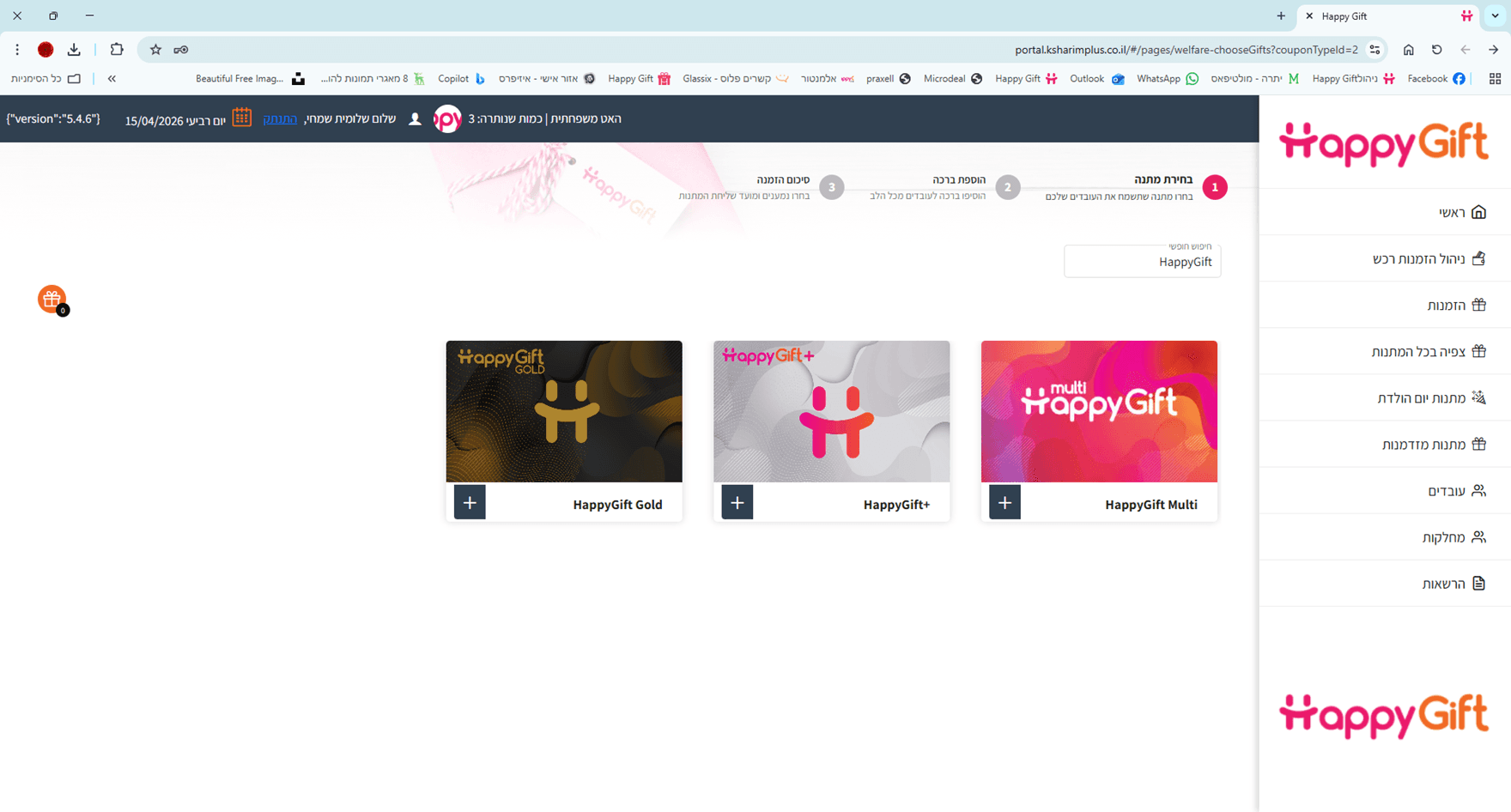
The Challenge
Empowering welfare administrations (B2B) by moving to a self-service model.
Empowering welfare administrations (B2B) by moving to a self-service model.
The need
To allow customers to send gifts independently 24/7, without relying on Happy Gift's support team.
To allow customers to send gifts independently 24/7, without relying on Happy Gift's support team.
To allow customers to send gifts independently 24/7, without relying on Happy Gift's support team.
The problem
The existing system was complex and confusing, which led to user abandonment and an operational burden on the company, the welfare administrations preferred that the sending be done by the company rather than by them.
The existing system was complex and confusing, which led to user abandonment and an operational burden on the company, the welfare administrations preferred that the sending be done by the company rather than by them.
The existing system was complex and confusing, which led to user abandonment and an operational burden on the company, the welfare administrations preferred that the sending be done by the company rather than by them.
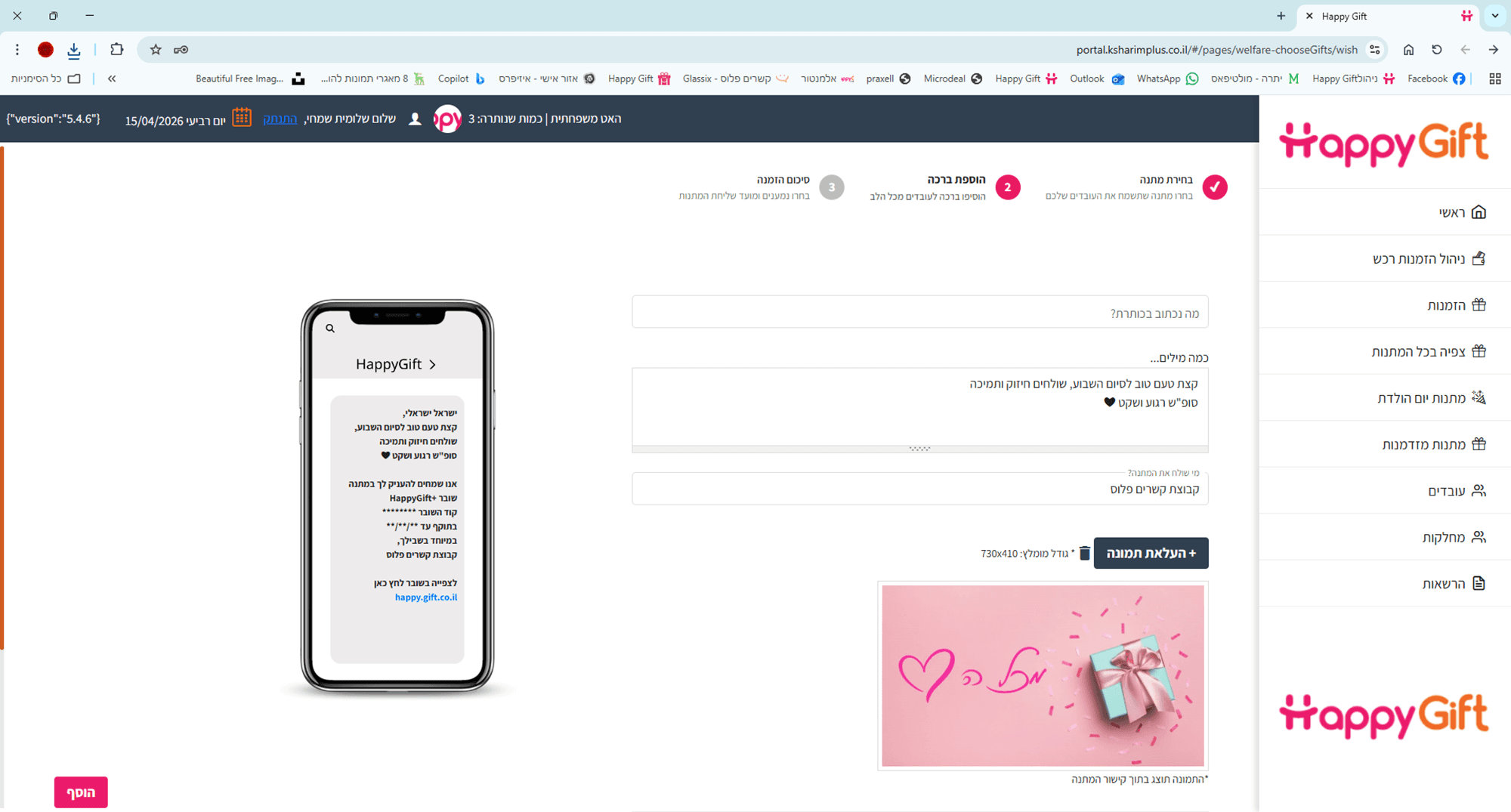
Pain Points
The identification of the failures was based on practical experience
As someone who worked with the system on a daily basis and assisted the technical support department, I heard customer complaints and experienced firsthand the awkwardness of the user journey.
These are the main problems that I mapped:
Lack of orientation
Users did not know what stage they were at (lack of Progress Bar).
Lack of orientation
Users did not know what stage they were at (lack of Progress Bar).
Lack of orientation
Users did not know what stage they were at (lack of Progress Bar).
Unnecessary steps
Manually selecting categories that had already been predefined created awkwardness and errors.
Unnecessary steps
Manually selecting categories that had already been predefined created awkwardness and errors.
Unnecessary steps
Manually selecting categories that had already been predefined created awkwardness and errors.
Confusing features
The "Send Test" field made managers think they were sending a real gift to an employee.
Confusing features
The "Send Test" field made managers think they were sending a real gift to an employee.
Confusing features
The "Send Test" field made managers think they were sending a real gift to an employee.
Visual and functional overload
Scattered buttons, unresponsive drop-downs, and critical information (such as discount and quantity) that was "hidden" in plain sight.
Visual and functional overload
Scattered buttons, unresponsive drop-downs, and critical information (such as discount and quantity) that was "hidden" in plain sight.
Visual and functional overload
Scattered buttons, unresponsive drop-downs, and critical information (such as discount and quantity) that was "hidden" in plain sight.
Persona

Sigal is responsible for the well-being of hundreds of employees. She is an excellent manager but describes herself as “non-techie.” For her, any new system is a source of concern and she prefers tools that work well.
Pain Points
High number of employees who cannot find their digital gifts.
Constant dependence on the vendor’s support team.
Cumbersome, long and confusing user journey.
Goals
Full independence to send gifts 24/7, even outside of working hours.
Full orientation and knowing exactly where she is.
Needs
A simple and intuitive platform designed for non-techie users.
A sense of security and trust throughout the process.
Zero dependence on technical support for routine tasks.
Insights
From the in-depth analysis of the failure points and feedback received from the field, I formulated four key insights that guided the re-characterization process. The goal was not just to improve visibility, but to create functional solutions that would reduce the user's difficulty and make the system a fast, safe, and intuitive work tool.
A progress bar is required that divides the customer journey into clear stages and increases the customer's sense of security.
A progress bar is required that divides the customer journey into clear stages and increases the customer's sense of security.
A progress bar is required that divides the customer journey into clear stages and increases the customer's sense of security.
Simplifying the customer journey and removing unnecessary steps and actions is required.
Simplifying the customer journey and removing unnecessary steps and actions is required.
Simplifying the customer journey and removing unnecessary steps and actions is required.
Explanations are required when performing various actions to prevent critical errors.
Explanations are required when performing various actions to prevent critical errors.
Explanations are required when performing various actions to prevent critical errors.
Highlighting important details and rearranging various buttons.
Highlighting important details and rearranging various buttons.
Highlighting important details and rearranging various buttons.
The Solution
Redesigning the Customer Journey
I built a new, focused flow designed to increase user confidence:
Orientation and Process (Progress Bar)
Problem:
Lack of orientation and a feeling of "loss" within the process. Welfare managers did not understand which stage they were in, how many stages remained to be completed, and where exactly the stage of adding recipients takes place. This created frustration and a lack of confidence in the independent operation of the system.
Solution:
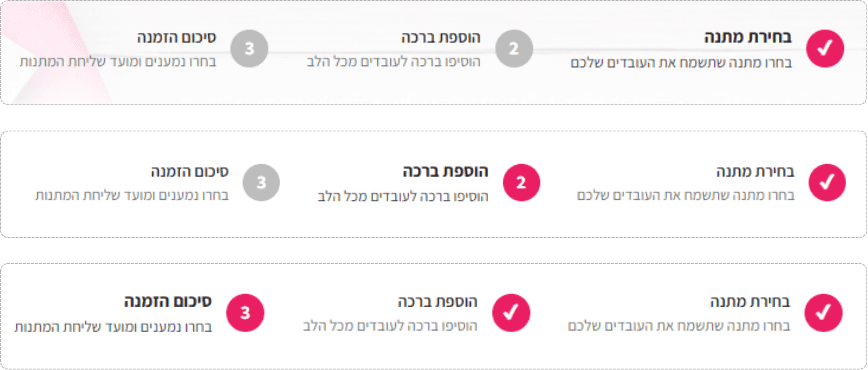
Implementation of a Progress Bar that divides the process into 3 clear stages: 1. Choosing a gift > 2. Writing a greeting > 3. Summary and assigning recipients. The move created complete certainty for the user, gave her a clear "roadmap" and significantly reduced abandonment of the process in the middle.
Orientation and Process (Progress Bar)
Problem:
Lack of orientation and a feeling of "loss" within the process. Welfare managers did not understand which stage they were in, how many stages remained to be completed, and where exactly the stage of adding recipients takes place. This created frustration and a lack of confidence in the independent operation of the system.
Solution:
Implementation of a Progress Bar that divides the process into 3 clear stages: 1. Choosing a gift > 2. Writing a greeting > 3. Summary and assigning recipients. The move created complete certainty for the user, gave her a clear "roadmap" and significantly reduced abandonment of the process in the middle.
Orientation and Process (Progress Bar)
Problem:
Lack of orientation and a feeling of "loss" within the process. Welfare managers did not understand which stage they were in, how many stages remained to be completed, and where exactly the stage of adding recipients takes place. This created frustration and a lack of confidence in the independent operation of the system.
Solution:
Implementation of a Progress Bar that divides the process into 3 clear stages: 1. Choosing a gift > 2. Writing a greeting > 3. Summary and assigning recipients. The move created complete certainty for the user, gave her a clear "roadmap" and significantly reduced abandonment of the process in the middle.
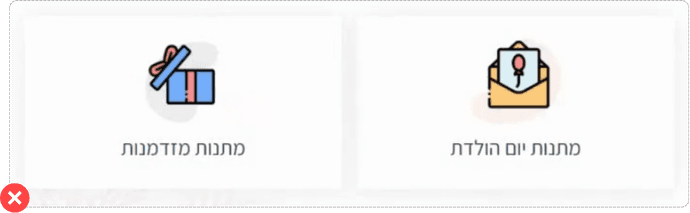
Predefined Category Selection Page
Problem:
The category selection page (e.g., "Birthdays") was redundant and confusing. Since the gift type was already pre-assigned to the defined budget, it created an additional and unnecessary step in the process that only confused users.
Solution:
Removing the categories page completely. Now, users go directly from selecting a budget to the simple choice between a physical and digital gift, which shortens the customer journey and reduces mental load.
Predefined Category Selection Page
Problem:
The category selection page (e.g., "Birthdays") was redundant and confusing. Since the gift type was already pre-assigned to the defined budget, it created an additional and unnecessary step in the process that only confused users.
Solution:
Removing the categories page completely. Now, users go directly from selecting a budget to the simple choice between a physical and digital gift, which shortens the customer journey and reduces mental load.
Predefined Category Selection Page
Problem:
The category selection page (e.g., "Birthdays") was redundant and confusing. Since the gift type was already pre-assigned to the defined budget, it created an additional and unnecessary step in the process that only confused users.
Solution:
Removing the categories page completely. Now, users go directly from selecting a budget to the simple choice between a physical and digital gift, which shortens the customer journey and reduces mental load.
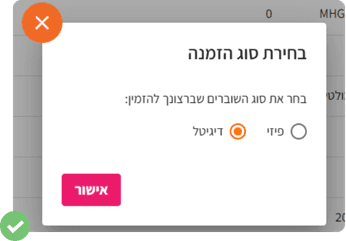
Greeting Page and Test Send Field
Problem:
Many welfare administrators mistakenly thought that the "Test Send" field that appears in the greeting pop-up was the place to enter the real recipient's details, which led to confusion, critical errors, and numerous customer service calls.
Solution:
Separating the greeting to a dedicated page (not a pop-up) and adding a clearly defined "Test Send" area. An explicit warning was added to ensure that errors were prevented.
Greeting Page and Test Send Field
Problem:
Many welfare administrators mistakenly thought that the "Test Send" field that appears in the greeting pop-up was the place to enter the real recipient's details, which led to confusion, critical errors, and numerous customer service calls.
Solution:
Separating the greeting to a dedicated page (not a pop-up) and adding a clearly defined "Test Send" area. An explicit warning was added to ensure that errors were prevented.
Greeting Page and Test Send Field
Problem:
Many welfare administrators mistakenly thought that the "Test Send" field that appears in the greeting pop-up was the place to enter the real recipient's details, which led to confusion, critical errors, and numerous customer service calls.
Solution:
Separating the greeting to a dedicated page (not a pop-up) and adding a clearly defined "Test Send" area. An explicit warning was added to ensure that errors were prevented.
Before:
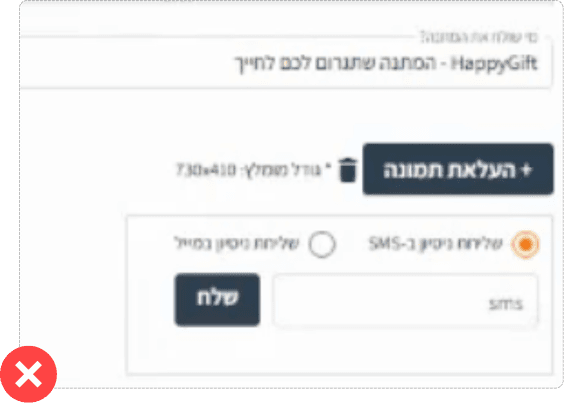
After:
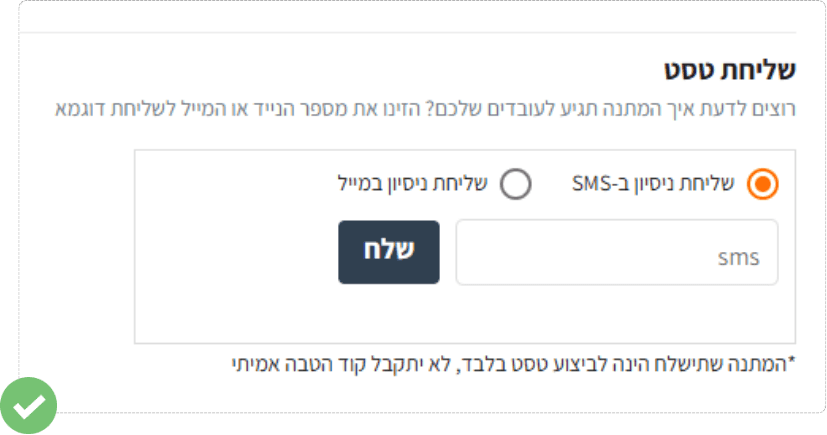
Product and Price Page
Problem:
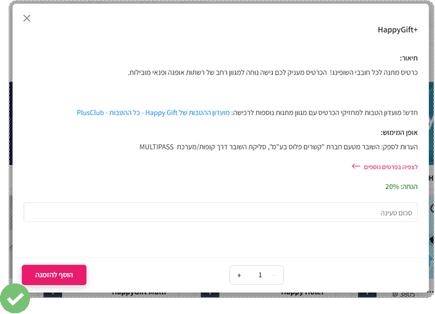
The long product description was placed inside an unresponsive drop-down, which caused visual clutter and ambiguity. Critical elements like discount, price, and quantity were scattered or not prominent enough.
Solution:
Replacing the drop-down with a detailed, readable, and responsive pop-up. Now, the discount is highlighted in green, and the price, quantity, and add button fields are grouped together for maximum clarity.
Product and Price Page
Problem:
The long product description was placed inside an unresponsive drop-down, which caused visual clutter and ambiguity. Critical elements like discount, price, and quantity were scattered or not prominent enough.
Solution:
Replacing the drop-down with a detailed, readable, and responsive pop-up. Now, the discount is highlighted in green, and the price, quantity, and add button fields are grouped together for maximum clarity.
Product and Price Page
Problem:
The long product description was placed inside an unresponsive drop-down, which caused visual clutter and ambiguity. Critical elements like discount, price, and quantity were scattered or not prominent enough.
Solution:
Replacing the drop-down with a detailed, readable, and responsive pop-up. Now, the discount is highlighted in green, and the price, quantity, and add button fields are grouped together for maximum clarity.
Before:
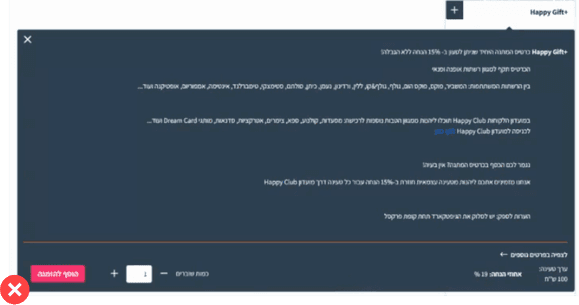
After:
Recipient Management
Problem:
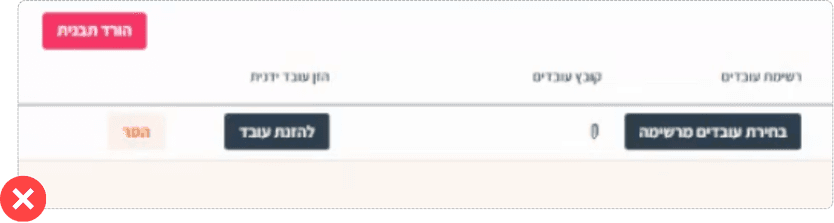
The recipient entry page consisted of four scattered buttons, the "Upload Recipient File" icon was really small and unclear, which made it very difficult to understand how to enter employee information.
Solution:
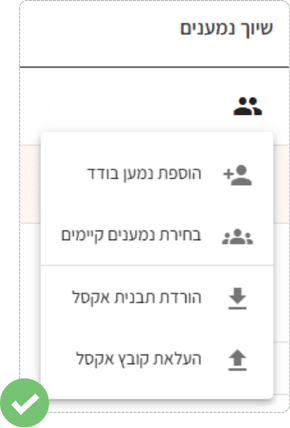
Unify all recipient entry options under one clear heading: "Associate Recipients". Add consistent and clear icons for each action to provide immediate visual guidance and streamline the process.
Recipient Management
Problem:
The recipient entry page consisted of four scattered buttons, the "Upload Recipient File" icon was really small and unclear, which made it very difficult to understand how to enter employee information.
Solution:
Unify all recipient entry options under one clear heading: "Associate Recipients". Add consistent and clear icons for each action to provide immediate visual guidance and streamline the process.
Recipient Management
Problem:
The recipient entry page consisted of four scattered buttons, the "Upload Recipient File" icon was really small and unclear, which made it very difficult to understand how to enter employee information.
Solution:
Unify all recipient entry options under one clear heading: "Associate Recipients". Add consistent and clear icons for each action to provide immediate visual guidance and streamline the process.
Before:
After:
Reflection & Design Goals
Implementing the changes to the system marked the transition from a complex and cumbersome product to a user-friendly, secure and efficient tool. Today, we receive consistent feedback from users that the system is clearer, more accessible and easier to use than before.
The improvement in the user experience has not only increased customer satisfaction, but also the satisfaction of the employees in the support department. The process is simpler for them as well and the number of complaints has decreased significantly.
Finished the journey?
Finished the journey?
Finished the journey?


© All rights reserved to Rotem Simhy
Rotem Simhy
UX/UI Designer
© All rights reserved to Rotem Simhy
Rotem Simhy
UX/UI Designer
© All rights reserved to Rotem Simhy